Portal Login
Manage your rental easily with access wherever you are. Review inspection reports, billing statements, and communication logs, plus submit one-click maintenance requests. All from the palm of your hand

Managing your property information online gives you fast, convenient access anytime, anywhere. Through the owner and tenant portals, you can securely view important information, track updates, access documents, submit requests, and stay connected in real time.
The mobile app and web portal are designed to make communication and property management simple and transparent, whether you are an owner reviewing statements and inspection reports, or a tenant checking balances, logging maintenance requests, or accessing tenancy information.
Manage Your Rental Anywhere
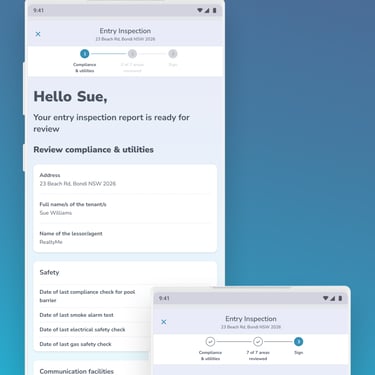
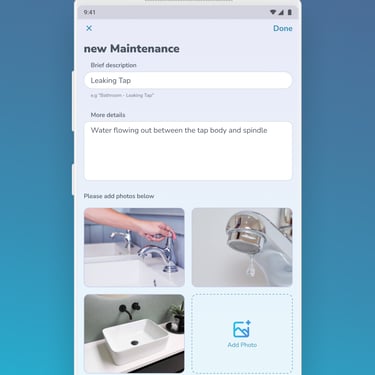
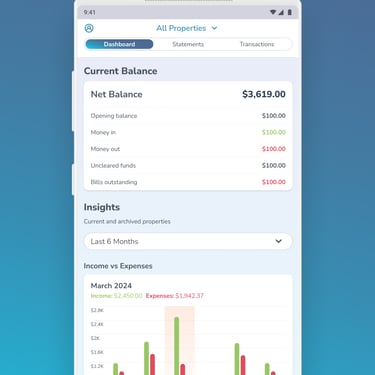
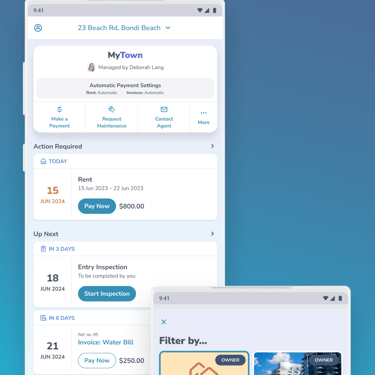
Mobile App:
From the login screen on the app, tap Sign Up.
Don't have the PropertyMe App yet? Download for free from the Apple App Store or the Google Play Store.
The app is compatible with the following is compatible with devices that support the following Operating Systems:
iPhone/iPod Touch
iOS 13.01 or lateriPad
IPadOS 113.0 or laterAndroid
Android 9 and up
Enter your email address, complete the captcha, then tap Email Me
Go into your Email app and look for an email with the subject line: Your access to PropertyMe
Open the email and tap Confirm Email address.
If you can’t see the email, check your junk or spam folder.
The mobile browser will open. Enter your details and password.
Click on the checkbox to accept the terms and conditions, then click on Activate.
Exit out of the mobile browser and open the PropertyMe App. Log in using the details you have set up.
Once logged in, an invitation pop-up will appear. Click the checkbox next to "Yes, I'm the tenant of this property"
If you clicked on 'decline' by mistake:
Contact your Property Manager to relink the property to your email address.
Once your Property Manager confirms that this has been completed, log out and log back to trigger the pop-up again.If you don't receive the invitation at all/can't see all tenancies
Contact your property manager to check that you have signed up using the correct email address. If you have used the wrong email address, you must complete the signup process again with the correct one.
Web Portal:
Once you have received the Tenant Access invitation from your Property Manager, click the link in the email or click here.
Confirm what screen the invite link takes you to.
If you see the Activate Access screen, skip to step 7.
If you see the Log in screen, proceed to step 3.
On the login page, click Sign Up.
Enter your email address, complete the captcha, then Click Email Me
Go back into your email account. Open the new verification email sent from PropertyMe.
Check your junk or spam folder if you can’t see the email.
Click the "Confirm Email Address" link.
On the Activate Access page, enter the following details:
First name (required)
Last name (required)
Work phone (optional)
Mobile phone (optional)
Password (required)
Confirm (required)
Click on the checkbox to accept the terms and conditions, then click on Activate.
You will be taken back to the login page. Enter your email address and password.
Once logged in, an invitation pop-up will appear. Click the checkbox next to "Yes, I'm the tenant of this property"
If you clicked on 'decline' by mistake:
Contact your Property Manager to relink the property to your email address.
Once your Property Manager confirms that this has been completed, log out and log back to trigger the pop-up again.If you don't receive the invitation at all/can't see all tenancies
Contact your property manager to check that you have signed up using the correct email address. If you have used the wrong email address, you must complete the signup process again with the correct one.
First time login guides
NOTE: When setting up your account, you must complete the signup process with the email address that your Property Manager has pre-authroised.
The guides below provide step-by-step instructions for setting up your online account and accessing the PropertyMe portal from both mobile devices and desktop.
Once setup, you will have convenient 24/7 access to important property information, documents, communications, maintenance requests, financial information, and updates, all in one secure place.



Contact
Reach out anytime for property support.
© 2026. All rights reserved.
Standard Hours
8am - 5pm
Emergency Line
24/7
Phone
+64 21 1161 350
Email
info@nestcare.nz